

Content to action
Qubicweb keeps the discovery and trust-education layer lightweight. When you need governed account, commerce, service, or trust actions, continue in the canonical app without losing the article’s source context.
Content to action
Qubicweb keeps the discovery and trust-education layer lightweight. When you need governed account, commerce, service, or trust actions, continue in the canonical app without losing the article’s source context.
Brief points
Key points will appear here once TrustOps condenses this read. Use the source link below if you need the full article immediately.
Apple dropped iOS 26.5 today, and your iPhone can pick it up right now. Head to Settings, tap General, then Software Update, and the download will be waiting for you. The update is about 14+ GB, so you need Wi-Fi connection before you start.
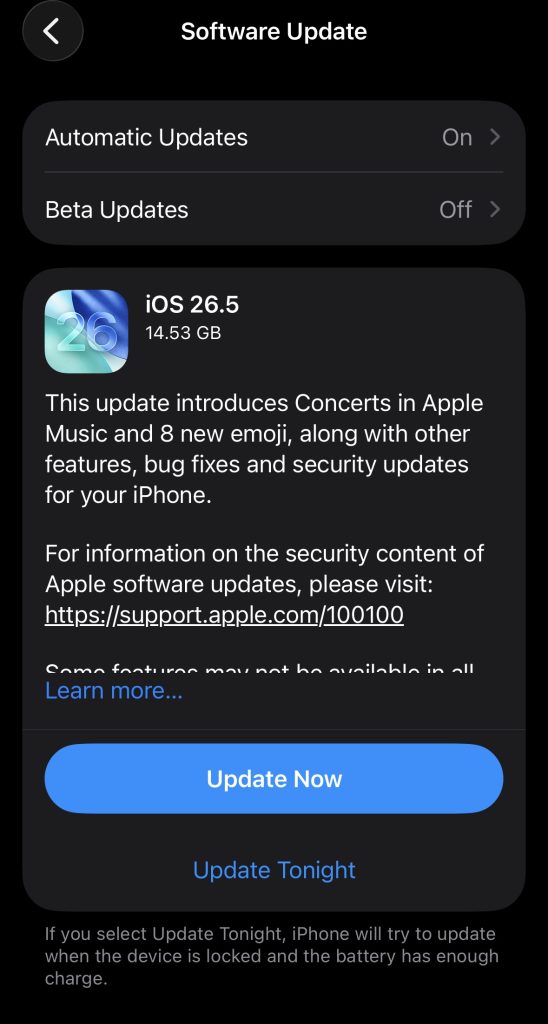
This is the last major update in the iOS 26 lineup. Apple’s next big software reveal happens at WWDC on June 8, 2026, where the company is expected to show off iOS 27.
Until then, iOS 26.5 is what you get, and it brings a handful of changes worth knowing about.
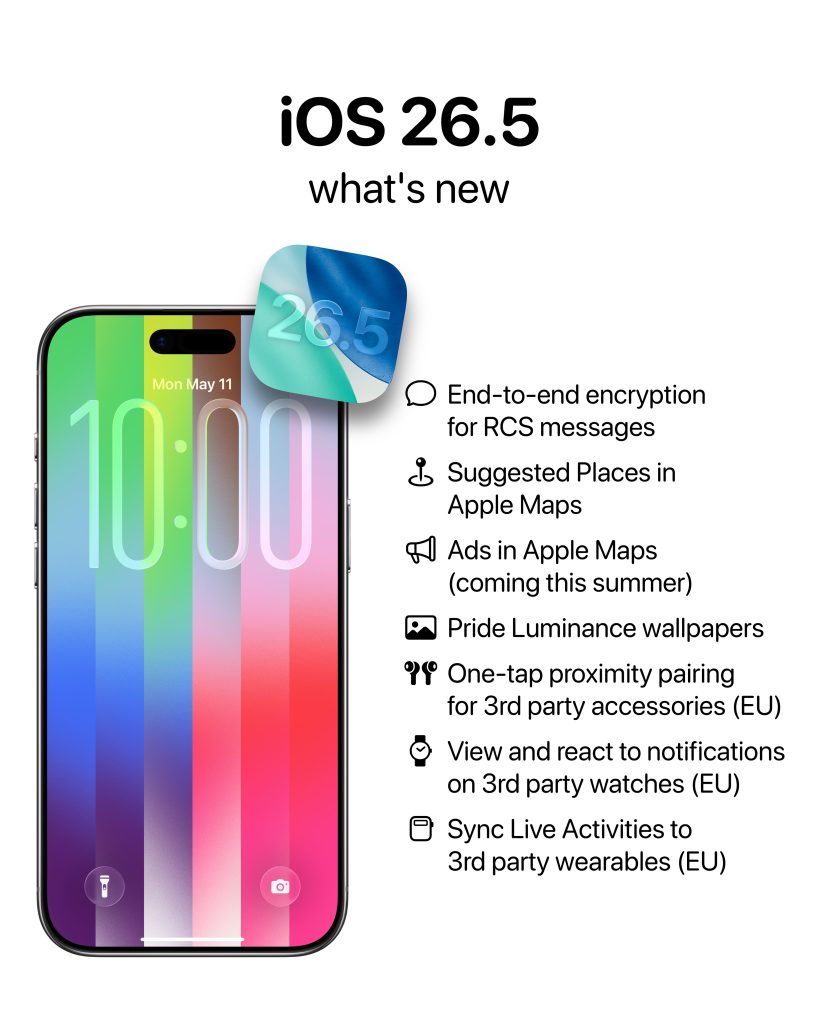
The biggest change in this update is encrypted messaging between iPhones and Android phones. For a long time, texts sent from an iPhone to an Android device were not encrypted, which meant they could be read by your carrier or anyone intercepting the connection. iOS 26.5 changes that, at least in part.
Apple has built support for RCS Universal Profile 3.0, which uses the Messaging Layer Security (MLS) protocol to encrypt your conversations. Encryption is enabled by default. You can check the status by going to Settings> Apps> Messages> RCS Messaging, where you’ll see an “End-to-End Encryption (Beta)” toggle.
When a conversation is encrypted, you’ll see a lock icon and the word “Encrypted” in your Messages thread. Google Messages on Android shows the same label, so both sides of the conversation will know the protection is active.
There’s an important catch, though. The encryption only works if your carrier and the other person’s carrier both support RCS Universal Profile 3.0. If one side doesn’t, your messages will still go through as unencrypted RCS or plain SMS. Apple hasn’t published a full list of which carriers support it yet.
For iPhone users in Nigeria, this feature will likely not be active right away. Apple’s Africa carrier page currently lists MTN, Airtel, Glo, and 9mobile as partners for basic iPhone features like eSIM and LTE, but RCS is not listed as supported by any of them.
Until those carriers upgrade their networks to support the new standard, iPhone-to-Android chats in Nigeria will continue to work as they do today. If you need encrypted messaging now, Signal and WhatsApp both provide it without depending on your carrier.
Open Apple Maps and tap the search bar. You’ll now see two recommended places appear above your recent searches. Apple says the suggestions are based on what’s trending nearby and your past activity in the app.
The privacy note Apple includes in the app states that advertising information from these suggestions is not linked to your Apple Account and that data is not shared with third parties. That said, there is no way to turn this off. The suggestions will always be there when you search.
This feature also sets the stage for paid ads in Apple Maps, which Apple has confirmed will launch in the US and Canada later this summer. Those ads will appear in the same space, labelled as “Ad.” There’s no opt-out for those either. If you don’t want to see sponsored results in your map searches, switching to Google Maps is your main option.
iOS 26.5 includes a new wallpaper called Pride Luminance. It refracts colours dynamically as the light and angle on your screen shifts. The wallpaper comes with 11 preset colour options and a custom mode that lets you pick between 1 and 12 colours. It matches a new Apple Watch face and Sport Loop of the same name that Apple is also releasing.
If you use a Magic Keyboard, Magic Mouse, or Magic Trackpad with your iPhone or iPad, iOS 26.5 makes pairing easier. Connecting one of those accessories via USB-C will now automatically pair it over Bluetooth. Once you unplug the cable, the Bluetooth connection stays active. You won’t need to go into Settings to pair it manually anymore. This is how those accessories already work on Mac, and Apple has now brought the same behaviour to iPhone and iPad.
Beyond the main features, iOS 26.5 includes several smaller updates:
The most talked-about missing feature is the upgraded Siri. Apple promised a more capable version of Siri starting with the iPhone 16 launch in 2024. The features in question include:
None of this shipped in iOS 26.5. According to Bloomberg’s Mark Gurman, internal testing encountered accuracy and speed issues, which is why the features keep getting pushed back. Apple is now expected to address this at WWDC on June 8, with the upgraded Siri likely arriving as part of iOS 27 later this year.
Apple’s WWDC 2026 keynote is on June 8, 2026, at 10:00 AM Pacific Time (6:00 PM West Africa Time). You can watch it for free on Apple’s website, through the Apple Developer app, or on Apple’s YouTube channel.
iOS 27 is the main expected announcement. Based on reporting from Bloomberg, here is what Apple is working toward:
Apple is also expected to announce which iPhone models will be compatible with iOS 27. Rumours suggest the iPhone 11 and second-generation iPhone SE may be dropped from the list, but Apple has not confirmed this. You’ll know for certain on June 8.
iOS 26.5 supports every iPhone that runs iOS 26. That includes any iPhone with an A13 Bionic chip or newer:
The iPhone XS, XS Max, and XR are not on the list. Those models topped out at iOS 18.
Apple Intelligence features, which are largely unchanged by this update, still require an iPhone 15 Pro or any iPhone 16, 17, or Air model.
Yes. iOS 26.5 includes security patches for all supported iPhones, and the changes it introduces are low-risk. Go to Settings, then General, then Software Update to download it. Keep your phone plugged in and on Wi-Fi while it installs.
If you’re in Nigeria or elsewhere in Africa, your experience after updating will look very similar to what it was before. The encrypted RCS feature will be in your settings but won’t activate until your carrier supports the new standard. Everything else in the update works regardless of where you are.
Spot something off?